Build Your Own Second Brain: Meetily, Claude & Obsidian
A practical guide to turning your meetings, research, and daily work into a local-first knowledge system that compounds — without sending your data to anyone.
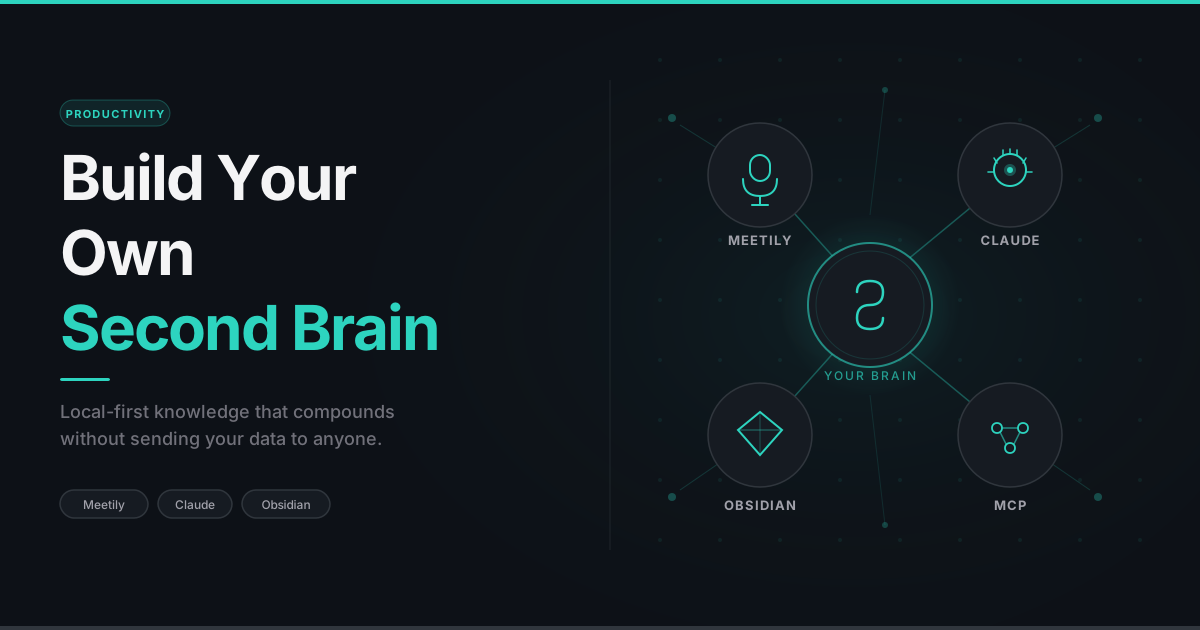
A practical guide to turning your meetings, research, and daily work into a knowledge system that compounds — without sending your data to anyone.
The Problem Nobody Talks About: You Don't Own Your Meeting Transcripts
If you live in Teams or Zoom calls, you've already hit this wall. You sat through a 90-minute discovery call. Three weeks later, a stakeholder asks, "What did we decide about the data refresh frequency?" You open Teams, navigate to the recording, and run into a brick wall.
You can't download the transcript. This is the silent killer in Microsoft Teams. Only the meeting organiser can export the transcript as .vtt or .docx. If you were invited to the meeting — even if you spoke for half of it — there is no download button for you. You can scroll through the transcript in the browser, but that's it. No file. No automation. No way to feed it into your notes.
So your options collapse into one: go back and re-watch the entire recording, hunting for the moment a decision was made. A 90-minute meeting becomes a 90-minute search problem every time someone asks a follow-up question. Multiply that across a week of meetings and you've lost a full workday to scrubbing through video.
The usual workarounds are all bad:
- Ask the organiser to send you the transcript. Sometimes works. Often doesn't.
- Take notes manually during the call. Your attention splits. You end up with bullet points instead of substance, and you miss the things you didn't realise were important until later.
- Re-watch the recording. A tax you pay every time someone asks you to remember something.
- Use a SaaS meeting tool like Otter, Fireflies, or Fathom. They join your calls as a bot, transcribe in the cloud, and store your conversations on their infrastructure. Faster than manual notes, but you've just made the data sovereignty problem worse, not better.
What you actually want is this: a way to capture every meeting, call, and discussion that happens on your PC — locally — and then turn those captures into structured, searchable knowledge that you control.
That's what a second brain is for.
What Is a Second Brain, Really?
The term gets used loosely. Tiago Forte's Building a Second Brain popularised it as a system for capturing, organising, and retrieving information across your life. Here's a more concrete definition:
"A second brain is a system where the cost of remembering something later is paid by the system, not by you."
Your biological brain is good at thinking, terrible at storage. It forgets meeting decisions, where you saved that SQL snippet, which client wanted which report format, and what you learned from that research paper you read in March. A second brain catches all of that as it happens and makes it retrievable in seconds.
A working second brain has four jobs:
- Capture — record everything worth keeping, with minimum friction.
- Structure — organise captures so they're findable by topic, project, or date.
- Synthesise — extract patterns. "What did I commit to this week?" "What did I learn about Power BI permissions last month?"
- Export — turn parts of your second brain into blog posts, documentation, reports. The accumulated work pays dividends.
Most second-brain setups die at step 1 because capture is too much work, or at step 3 because there's no good way to synthesise without manually re-reading everything.
The setup in this post solves both using a mix of free, freemium, and premium/API-driven tools. Your data never leaves your machine for the parts that matter.
The Three Pillars
Captures and transcribes everything that happens on your PC, locally. No bots, no cloud.
Where structured knowledge lives. Plain markdown files on your disk. No vendor lock-in.
Does the heavy lifting: summarisation, task extraction, reference doc generation, and indexing.
The glue is MCP (Model Context Protocol), which is how Claude gains access to your local files.
Tool 1: Meetily — Local Meeting Capture
Why Meetily Over the Alternatives
Meetily (free, MIT-licensed, open source) is the most practical local-first option for Windows users right now. The paid alternative most people consider is Granola — excellent UI, great summarisation, AI features baked in. But Granola is cloud-based: your audio and transcripts go through their servers. If that's acceptable for your work, Granola is the better experience. If it isn't, Meetily is the answer.
| Feature | Meetily (free) | Granola (paid) | Otter / Fireflies (paid) |
|---|---|---|---|
| Local audio capture | ✓ | ✗ | ✗ |
| Local transcription | ✓ (Whisper.cpp) | ✗ (cloud) | ✗ (cloud) |
| Joins call as a bot | ✗ | ✗ | ✓ |
| Open source | ✓ MIT | ✗ | ✗ |
| Works without internet | ✓ | ✗ | ✗ |
| Your audio stays on your PC | ✓ | ✗ | ✗ |
| Polished UI | Functional | ⭐ Best in class | Good |
The "joins as a bot" row is the killer feature. Otter and Fireflies need bot permission in your Teams/Zoom call — which often means asking IT or the organiser, and creates a visible presence that participants can object to. Meetily captures the system audio output directly from your PC speakers/headphones, plus your microphone input. Nothing joins the call. The other participants have no idea you're transcribing locally.
Recording calls without informing participants is illegal in many jurisdictions. Just because Meetily makes it invisible doesn't make it ethical or legal. Always tell people you are recording.
Installing Meetily
- Go to meetily.ai/downloads, download the community edition, and install it.
- On first launch, Meetily will download Whisper model files. The base model is enough for most use cases; small or medium models give better accuracy if you have GPU horsepower.
How Meetily Stores Recordings
Each meeting creates a folder under your configured save location:
📁 meetily-recordings
The transcripts.json is the file you care about:
{
  "segments": [
    {
      "start": 0.0,
      "end": 4.2,
      "text": "All right, let's start with the data refresh question.",
      "confidence": 0.91
    },
    {
      "start": 4.5,
      "end": 11.3,
      "text": "We agreed last week to do hourly refreshes...",
      "confidence": 0.88
    }
  ]
}
Structured, timestamped, and ready to be parsed by anything — including Claude.
Tool 2: Obsidian — Where Knowledge Compounds
Obsidian is a markdown editor that treats every note as a .md file on your disk. No database, no proprietary format, no cloud account required. The killer feature for our purposes: plain markdown files are something Claude can read and write directly via the Filesystem MCP connector. No API, no integration layer. Just files.
Vault Structure
📁 obsidian-vault-structure
Three principles drive this:
1. Each project gets its own folder. When you return to a project after a month, you open one folder and see everything — what you did, what's pending, and what the project even is.
2. Daily Log entries are detailed, not journal-style. Write entries that include what you built, how it works, which tables/columns/code were involved, and why you made the decisions you did. Your daily log is also your project's documentation, growing one day at a time.
3. R&D is flat and topic-first. Research belongs in a .md file named after the topic. When the research is complete, that file becomes the seed of a blog post.
Task Format Convention
- [ ] Build the refresh monitor dashboard 📅 2026-05-25 🔼 #project-a
- [ ]— open task- Plain text — what to do
📅 YYYY-MM-DD— due date🔼— priority flag#project-a— project tag
The Tasks community plugin in Obsidian scans every .md file for checkbox lines and renders them as a live, interactive dashboard in All Tasks.md. Tick a box in the global view and it updates the source file.
Tool 3: Claude — The Synthesis Engine
The integration uses the Filesystem MCP connector (which requires a Claude Pro subscription to run on the Claude Desktop app), giving Claude read and write access to specific folders on your PC. Configure it once in Claude's settings, point it at your Obsidian vault root and your Meetily recordings folder, and from then on Claude can read your transcripts, summarise them, and write directly into your daily logs.
The Daily Workflow
Here's what a typical end-of-day looks like:
- You finish your last meeting. Meetily has been recording in the background.
- You open Claude and type: "Run daily roll-up."
- Claude lists today's new folders in your Meetily directory, reads each transcript, and asks: "Meeting at 2:15 PM about data classification — which project does this belong to?"
- You answer: "Project A."
- Claude summarises the meeting (key points, decisions, action items), prepends a dated entry to
Project A/Daily Log.md, and appends new tasks toProject A/To Do.md. - You dictate a few things from memory: "Also fixed the Snowflake connection timeout — configured connection pooling, increased timeout to 60s, the issue was the default 30s being too short for cold-start warehouses."
- Claude writes that to
Project B/Daily Log.mdin structured format — ready to reuse as documentation later.
Total time: under five minutes. Compare that to manually transcribing, organising, and writing structured notes — that's a 30-minute job done badly, or skipped entirely.
Why the Detailed Daily Log Pattern Pays Off
After a few weeks, when a project wraps up, you can ask Claude:
"Build me a reference doc on the data classification rollout from Project A Daily Log."
Claude reads every dated entry, extracts every relevant block, merges them, dedupes contradictions (newer dates win), and produces a polished reference document in seconds. The work you already did pays itself back at project close as ready-made documentation.
The same pattern works for blog posts. R&D topic files you wrote while exploring something become blog drafts when you say: "Extract a blog draft from the Meetily Setup topic." You've turned learning into publishing without any additional research step.
Layer 4: Automation — Claude Skills, Cowork, and MCP
The setup above is already useful. But the next layer is what turns it from a daily ritual into something close to automatic.
MCP — The Foundation
You've already met MCP (Model Context Protocol) — it's how the Filesystem connector works. But MCP is broader than that. It's an open protocol Anthropic published that lets any tool expose itself to Claude in a standardized way. There are now MCPs for Gmail, Google Drive, Microsoft 365, Slack, GitHub, Granola, Notion, and hundreds of others.
For the second-brain setup, the relevant MCPs are:
- Filesystem — read/write your vault and recordings (essential)
- Google Drive / Microsoft 365 — if your work documents live there, Claude can pull from them when writing daily logs
- Granola — if you use Granola instead of or alongside Meetily, Claude can pull meeting notes directly from Granola's API without you exporting anything
The point: as your second brain grows, you can connect more sources. Each new MCP is a new data feed Claude can synthesize from.
Claude Skills — Encoding Your Workflow
A skill is a SKILL.md file you place in ~/.claude/skills/ that tells Claude how to handle a specific task type. Once installed, the next time you say "run daily roll-up," Claude doesn't need to be re-explained the workflow — the skill loads automatically and Claude follows the steps verbatim.
A skill file has YAML frontmatter and a markdown body:
```markdown
---
name: daily-rollup
description: Use this skill when the user asks to "run daily rollup",
  "summarize today's meetings", or "add to [project] daily log".
  Manages the Obsidian vault and processes Meetily transcripts.
allowed-tools: Read, Write, Edit, Glob, Bash
---

# Daily Roll-up Skill

## Paths
- Vault: C:\Users\<You>\Documents\Obsidian Vault
- Recordings: C:\Users\<You>\Music\meetily-recordings

## Steps
1. List today's folders in recordings directory
2. Read transcripts.json and metadata.json from each
3. Ask user which project each meeting belongs to
4. Summarize each meeting...
[etc.]
```
This works in Claude Code — Anthropic's terminal-based developer tool. Install it once (npm install -g @anthropic-ai/claude-code), drop your skill file in the skills directory, and from any terminal you can run claude with the workflow pre-loaded.
The big win: Claude Code supports headless mode. You can run claude -p "run daily rollup" from a script — no interactive chat required. Wire that into Windows Task Scheduler set to run at 9 PM daily, and your second brain literally runs itself.
Cowork — For the Non-Terminal Among Us
Not everyone wants to use a terminal. Cowork is Anthropic's desktop automation tool, designed for non-developers who want Claude to handle file and task management across their PC without learning bash.
With Cowork, you can give Claude standing instructions like: "Run the daily rollup skill at 7 PM every day." Cowork handles the scheduling and the desktop notification. You click yes or ignore.
This is the closest you can get to true automation without writing code. It also pairs perfectly with the Skills approach — Cowork triggers the action, the Skill defines what to do.
What You Actually Have After Six Months
You've been running this setup for half a year. Here's what your vault looks like:
- ~120 daily log entries across 5–6 active projects
- ~30 R&D topic files covering things you researched, built, and learned from
- A growing
Blog/folder with 6–8 drafts at various stages - ~200 transcripts in Meetily, fully searchable
The capabilities you've earned:
"What did I commit to in the Project A weekly meeting last Tuesday?" — Claude reads the dated entry and gives you the action items, with quotes from the transcript.
"Build me a one-page status doc for Project B covering the last month." — Claude reads 4–5 weeks of Daily Log entries, synthesises by theme, and produces a doc you can send to leadership.
"I'm writing a blog post about Power BI permissions edge cases. Pull together everything I've learned across all projects." — Claude greps across every project's Daily Log for permission-related entries, dedupes, and gives you a structured outline.
None of this is possible with a folder of .docx files. None of this is possible with the Teams transcript you can't even download.
Meetily's Limitations — Be Honest With Yourself Before You Commit
Meetily is genuinely useful, but it has real rough edges worth knowing before you build a workflow around it.
No speaker identification. This is the biggest one. Meetily transcribes what was said, not who said it. Every line of the transcript comes out as an undifferentiated block of text. In a two-person call you can usually infer who said what from context, but in a five-person standup you'll end up with a wall of dialogue and no attribution. Paid tools like Granola and Teams use diarization — they separate speakers and label each turn. Meetily doesn't, and there's no workaround for this today.
Transcription lag behind paid tools. Whisper.cpp running locally is impressive given it costs nothing, but it's not real-time. There's a processing delay after the meeting ends before the transcript is ready — usually a minute or two for a long call. By contrast, Teams' live captions update as you speak, and Granola's cloud pipeline delivers summaries while the meeting is still winding down. If you're used to that cadence, Meetily's batch-after-the-fact approach will feel slow.
Technical vocabulary and accents. Whisper is broadly accurate, but it struggles with dense jargon, uncommon product names, and strong regional accents. If your calls involve terms like "ADLS Gen2", "Medallion architecture", or heavy acronym-speak, expect transcription errors that you'll have to correct before feeding the text to Claude.
PC-only capture. Meetily captures your system audio. That means it only works for meetings you attend on your computer. Phone calls, in-person discussions, or calls taken on your phone are invisible to it. Your second brain will have gaps if those conversations matter.
No built-in summary or AI layer. Meetily records and transcribes. That's it. There's no summarisation, no action item extraction, no Q&A interface. Those capabilities are entirely your responsibility to wire up — which is exactly what this post is about. But if you were expecting a one-click "summarise this meeting" button inside Meetily, it's not there.
If these trade-offs are acceptable for your context, Meetily is excellent. If speaker identification is non-negotiable for your workflow, Granola is the honest recommendation instead.
Closing Thoughts
Three things, really.
Data sovereignty. Your meetings, your research, your daily work — none of it sits on someone else's server unless you explicitly choose to send it there. For client work covered by NDAs, this isn't optional.
Compounding knowledge. Each detailed daily log entry is documentation-in-progress. Each R&D topic file is a blog post seed. Each completed project leaves behind a reference doc that future-you can actually use.
Cognitive offload. You stop trying to remember what was decided three weeks ago, what you said you'd do by Friday, or which client wanted which report format. The system holds it. Your brain is freed up for thinking, not storage.
One thing worth saying clearly: this post is about a specific stack, but the idea isn't about any of these tools. Meetily, Claude, Obsidian — these are the tools that work for me right now. The actual principle is simpler: capture your thoughts in a form you can retrieve, connect, and build on. You could do this with Notion and ChatGPT. You could do this with Roam Research and a voice recorder. You could do this with a folder of text files and grep. The tool is not the second brain. The discipline of consistently capturing, structuring, and revisiting what you know — that's the second brain. The tools just determine how much friction stands between you and that discipline.
The best part: the foundational capture and storage tools are free and local-first. Meetily is MIT-licensed, Obsidian is free for personal use, and MCP connectors are free. For the intelligence layer, Claude Pro is required to enable MCP desktop integration and handle heavy daily roll-up context without hitting tight usage limits. If you prefer the advanced automation and headless workflow via Claude Code, that runs on a premium pay-as-you-go API model — costing only a few cents per run, or about $2–5 per month for daily roll-ups.
A second brain isn't a product you buy. It's a discipline you build. The tools above just remove all the friction.